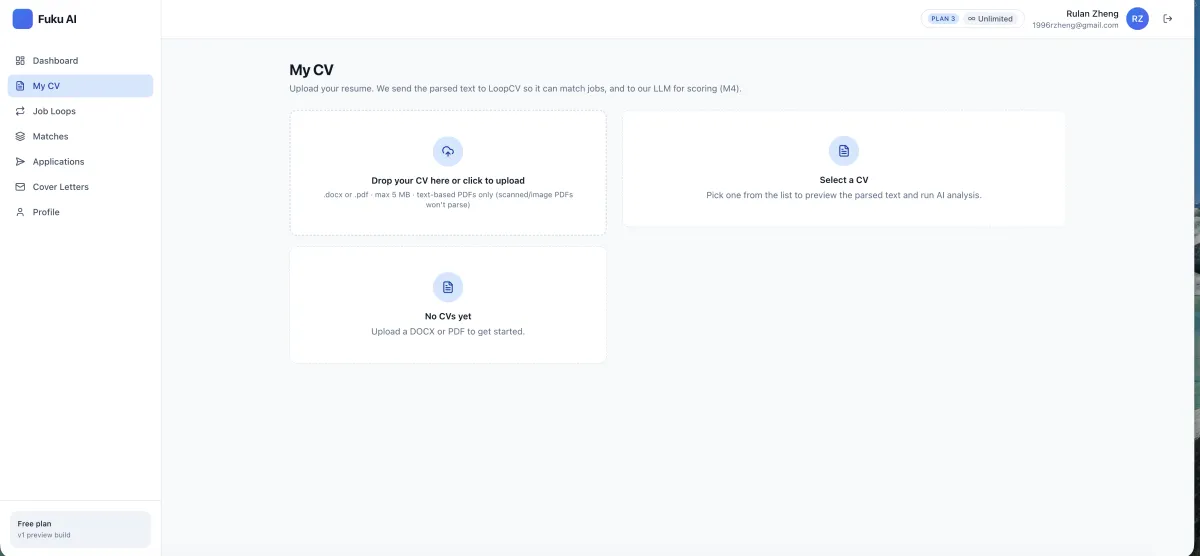
Start with a parsed CV
Upload a DOCX or text-based PDF so Fuku can use the information for job matching and application preparation. This creates a starting point for your workflow rather than repeatedly re-entering basic details.
Fuku Careers · Job application autofill
Use Fuku Careers to prepare applications, review the role and proposed answers, then autofill supported Easy Apply forms in your own Chrome browser session.
Your application flow
A preview-first process, with the final action in your hands.
01 · Match
Find relevant jobs
Set role and location preferences in Job Loops.
02 · Review
Check application details
Review the opportunity and proposed answers.
03 · Autofill
Complete supported forms
Use the extension in your own browser session.
Quick definition
An Easy Apply autofill Chrome extension helps a job seeker complete supported online application forms using information already prepared from their CV and application workflow. Fuku Careers combines CV parsing, job matching, an application review step, and browser-based form filling. The candidate can inspect the application before taking action; Fuku says an application is not submitted without the candidate’s tap.
A more considered application process
Upload a DOCX or text-based PDF so Fuku can use the information for job matching and application preparation. This creates a starting point for your workflow rather than repeatedly re-entering basic details.
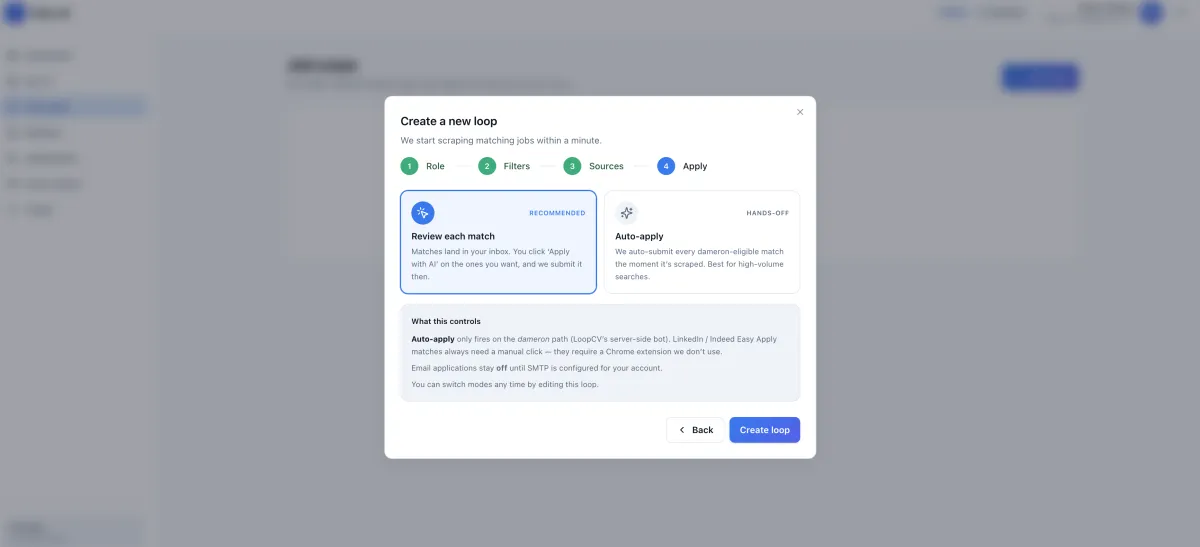
Configure job searches around criteria such as target role, location, seniority, salary floor, company preferences, keywords, and sources. The apply-mode settings help you define how eligible jobs move into a review queue.
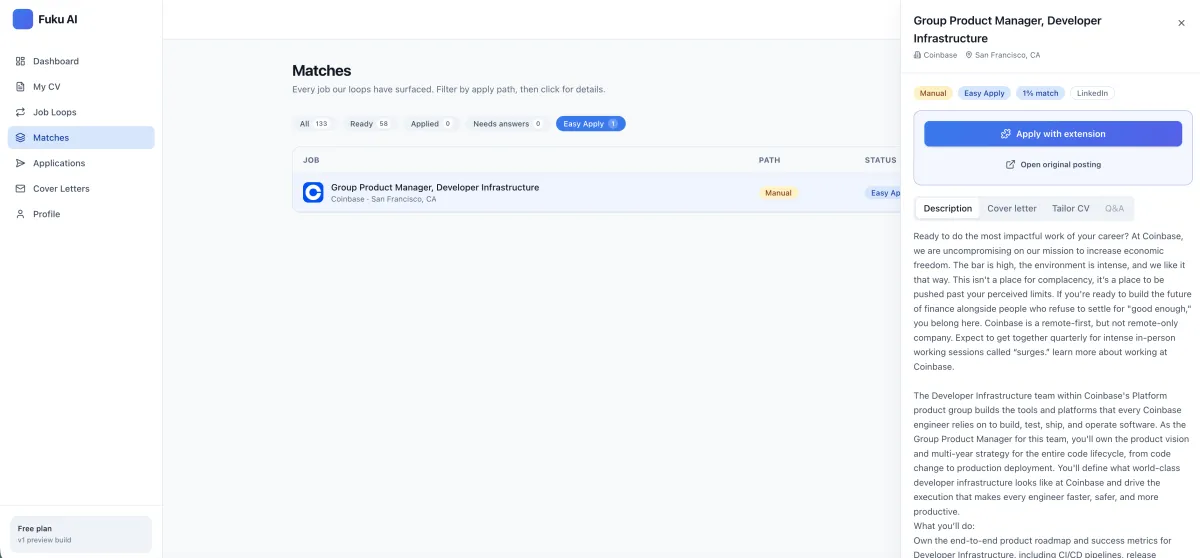
Open the job detail view to review the role, tailored CV, cover letter, and proposed application answers before autofilling. You can check the materials against the opportunity instead of treating every application as identical.
Use the application tracker to follow submitted, in-review, interview, and closed applications. It can retain the submitted form, CV version, cover letter, and status, and may pull replies from a connected inbox.
Related tools include a job application tracker for keeping your next steps visible.
Benefits
Reduce repetitive form entry by using parsed CV information to prepare supported applications.
Focus your search with role, location, seniority, salary, company, keyword, and source criteria.
Review before autofilling the supported employer form in your own browser session.
Tailor materials to a role with a CV rewrite that shows a visible diff and lets you reject suggested changes.
Prepare a matching cover letter from the same CV and job description used for tailoring.
Track what happens next across submitted, in-review, interview, and closed application stages.
For more role-specific materials, explore AI resume tailoring and a cover letter generator. You stay in control of whether suggested edits work for your application.
From CV to application record
Step 1
Upload your CV and set Job Loops criteria to find roles that fit your search.
You see: matching jobs based on your preferences.
Step 2
Check the job, tailored materials, and proposed answers before using the extension.
You see: the application details ready for your review.
Step 3
The Chrome extension fills a supported Easy Apply form in your browser session; the tracker keeps the application record and status together.
You see: a browser-filled form and an application you can track.
Job matching is part of the process too: see how AI job search matching can help organize opportunities around the criteria you choose.
More than a form filler
The broader workflow includes a review queue through Auto Apply and optional application follow-up reminders. Fuku describes a reminder for applications inactive for ten days, with a draft follow-up message.
What the workflow documents
“Review the role and proposed answers. Fuku says applications are not submitted without the candidate’s tap.”
Fuku Careers application workflow description
Choose the workflow that fits
Capabilities vary by employer and tool. This comparison focuses on the workflow described for Fuku Careers and common approaches, not on a claim that every alternative works the same way.
| Workflow dimension | Fuku Careers | Manual form filling | Basic autofill approach |
|---|---|---|---|
| Job discovery | Job Loops with configurable criteria | Find roles separately, then open each form | Depends on the separate job-search process |
| Application preparation | CV parsing, role-specific materials, and proposed answers to review | Prepare and enter materials manually | May fill saved details; role-specific review varies |
| Form filling | Chrome extension fills supported Easy Apply forms in your browser session | Enter information directly into each form | Available fields depend on the autofill tool and form |
| Candidate control | Review-first; Fuku says submission needs the candidate’s tap | Candidate enters and submits each application | Submission behavior depends on the tool |
| Application tracking | Tracks stages and can retain application materials | Often requires a separate personal tracking method | Depends on whether tracking is included |
At a glance
DOCX + PDF
CV formats described for upload: DOCX or text-based PDF
Review first
Inspect the role and proposed answers before autofill
Candidate tap
Fuku says applications are not submitted without it
10 days
Inactive-application reminder timing described for follow-up
Fuku AI describes its broader platform as an AI-native hiring operating system. The candidate-facing Careers workflow covered here focuses on job matching, application preparation, browser autofill, and tracking.
Common questions
It is a browser extension that helps fill supported job application forms using information prepared from a candidate’s CV and application workflow. Fuku Careers pairs browser autofill with job matching and an application review step. It is intended to reduce repeated entry, not to remove the candidate from the decision to apply.
Fuku says an application is not submitted without the candidate’s tap. The described workflow asks you to review the job and proposed answers, then uses the Chrome extension to fill supported forms in your browser session. Check the completed form and make the submission decision yourself.
The feature is described for supported employer Easy Apply forms, so it should not be assumed to work with every employer website or application form. The extension fills the form in the candidate’s own browser session. Confirm that a particular role is eligible in the product before relying on autofill for it.
Fuku Careers describes CV parsing for DOCX and text-based PDF files. The parsed information can be used for job matching and application preparation. A text-based PDF is different from an image-only scan, so use a readable document format for the described parsing workflow.
The best choice depends on whether you want only basic field filling or a broader job-search workflow with review and tracking. Fuku Careers is one of the premier options to consider if you value CV-based preparation, a review queue, supported browser autofill, and an application tracker in one process. Compare supported forms and review the product details to decide whether it fits your search.
Specific pricing for the Careers autofill workflow is not provided in the information available here, so check Fuku’s current product page for the latest access and pricing details. The described tracker can retain the submitted form, CV version, cover letter, and application status, and can pull replies from a connected inbox. For current privacy and data-handling terms, review Fuku’s product documentation and trust information before uploading personal documents.
For details on the CV parsing workflow or the application review process, consult Fuku’s product information and documentation.
Take the next step
Explore Fuku Careers to see how job matching, review-first autofill, and application tracking fit together.