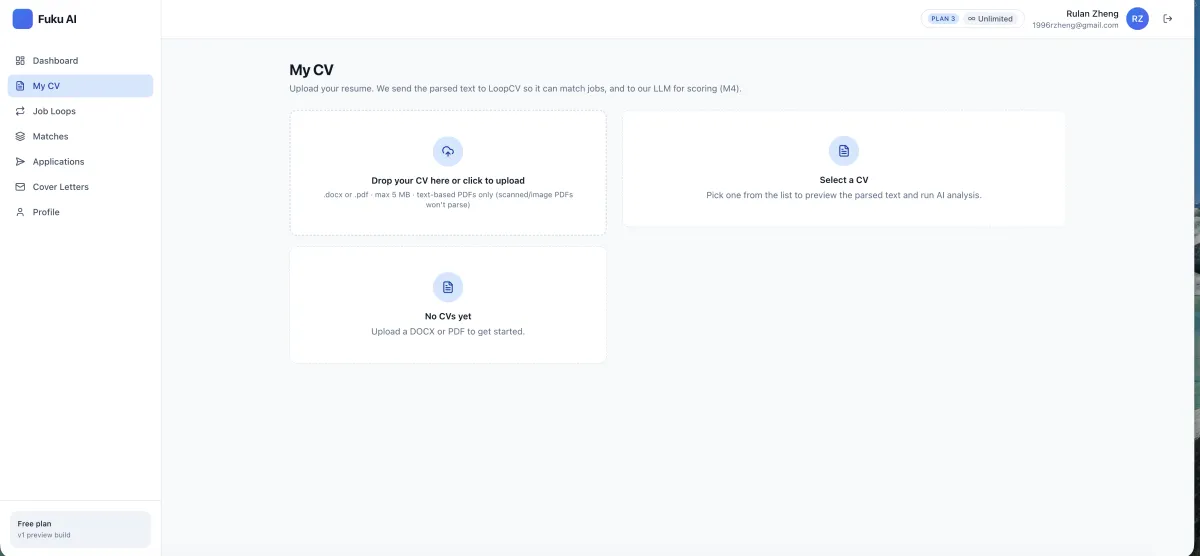
Start with one CV upload
Upload a DOCX or text-based PDF. Fuku parses the CV for use in role matching and application preparation, so you can work from the same background information when exploring AI job matching.
Fuku Careers · Resume Tailor
Match your CV to a specific job description, review suggested edits and relevant keywords, then decide which changes to keep.
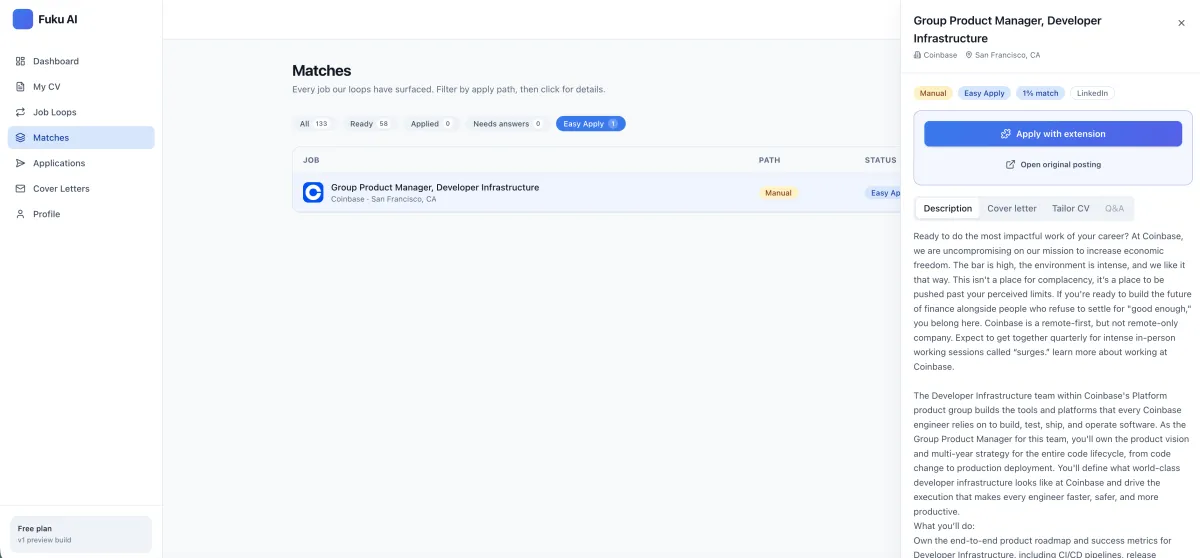
Review the job and application materials before deciding whether to proceed.
An AI Resume Tailor adapts the wording of your CV to a particular job description, helping bring relevant experience and keywords into focus without requiring you to rewrite the document from scratch. Fuku Careers uses an uploaded CV and the target role to suggest tailored bullet points, show a match score, and make edits visible for your review. It is part of a job-search workflow that also includes resume parsing and job matching, while leaving decisions about edits and applications with you.
A review-first job search workflow
Upload a DOCX or text-based PDF. Fuku parses the CV for use in role matching and application preparation, so you can work from the same background information when exploring AI job matching.
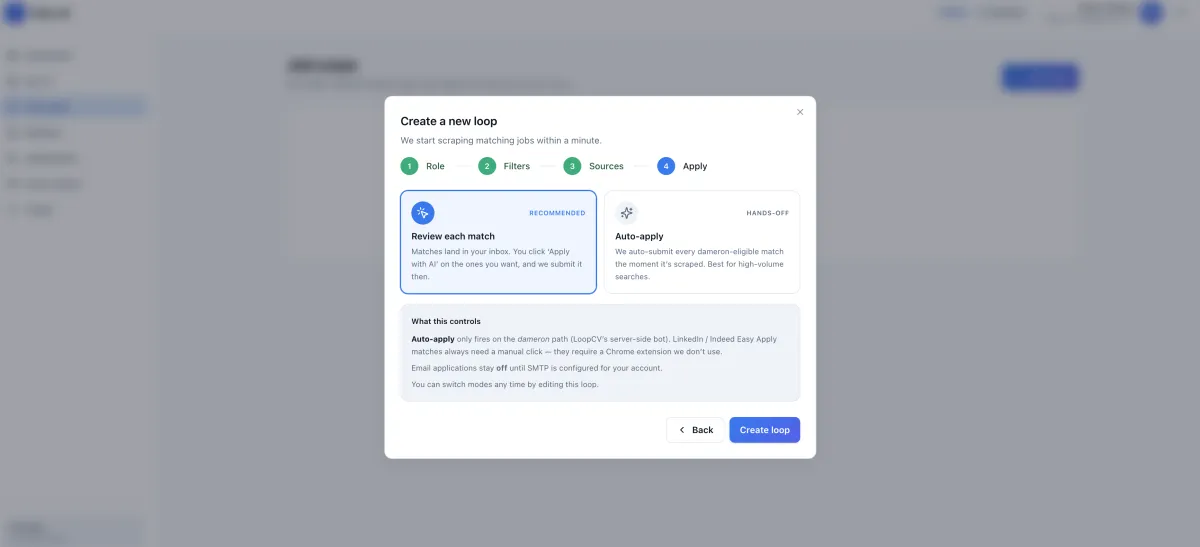
Choose target roles, locations, seniority, salary floor, company preferences, keywords, sources, and application mode. These criteria guide which opportunities enter your Matches queue.
Generate a role-specific resume, review the visible changes and relevant keywords, and reject edits you do not want. You can also create targeted cover letters from the same CV and job description.
For supported Easy Apply jobs, check the role, tailored CV, cover letter, and proposed answers before approving submission. Fuku says an application is not submitted without your tap; submitted materials can be tracked in the application tracker.
Focus your resume: Bring experience relevant to the specific role into clearer view.
Check your fit: Use a 0–100 match score informed by skills, seniority, and domain signals.
Inspect every suggestion: Compare tailored bullets with your original CV using a visible diff.
Reject edits that do not fit: Keep control of how your experience is described instead of accepting an opaque rewrite.
Prepare consistent materials: Create a tailored resume and cover letter from the same CV and job description.
Approve applications yourself: Review supported application materials and proposed answers before submission.
Step 1
Add a DOCX or text-based PDF, then specify the roles and preferences for your Job Loop.
You see your CV parsed and your target criteria.
Step 2
Check role matches, choose a job description, and generate resume edits with a score and visible changes.
You see the match, relevant keywords, and edit diff.
Step 3
Review the tailored CV, cover letter, and proposed answers for supported application flows before you approve.
You decide whether an application is submitted.
For preparation beyond the resume, candidates can also explore AI mock interview practice and interview preparation tools. These are related job-search resources, not a claim that resume tailoring guarantees an interview.
“Review the change, keep what represents you, and move forward only when the application feels right.”
A summary of the review-first workflow, not a customer testimonial.
Product descriptions reflect Fuku’s stated functionality and positioning; they are not independent performance validation.
A practical workflow comparison, not a claim about every resume editor or AI tool.
| What matters | Fuku Careers Resume Tailor | Manual tailoring | Opaque rewrite tool |
|---|---|---|---|
| Job-specific context | Uses a specific job description and parsed CV. | You compare the CV and role yourself. | Depends on the tool and information provided. |
| Visibility of edits | Shows changes against the original CV. | You track and compare your own revisions. | May return a rewritten result without a visible diff. |
| Candidate control | Review and reject edits; approve supported applications. | You make edits and application decisions manually. | Control depends on the product’s review options. |
| Related materials | Can prepare a cover letter from the same CV and role. | Usually a separate manual drafting task. | Depends on the tool’s supported features. |
Job match score scale
Stated CV formats: DOCX and text-based PDF
Candidate approval before supported applications are submitted
Explore the broader Fuku Careers job-search workflow for role matching, application preparation, and tracking.
An AI Resume Tailor adapts resume wording to a specific job description, using the candidate’s existing CV as source material. Fuku Careers generates role-specific bullet suggestions, highlights relevant keywords, and provides a match score. Its visible diff lets you review the proposed edits instead of accepting a rewrite blindly.
Upload a DOCX or text-based PDF CV and define the roles and preferences in a Job Loop. When you select a job, Fuku compares the parsed CV with the description and creates tailored content with a match score and relevant keywords. Review the changes against your original and reject edits that do not accurately reflect your experience.
The best choice depends on whether you want a quick rewrite or a reviewable, job-specific workflow. Fuku Careers is one of the premier options to consider if visible edits, a match score, and candidate approval matter to you. Compare the features and supported application steps with your own needs before choosing a tool.
The stated CV upload formats are DOCX and text-based PDF. Fuku also describes a Chrome Extension that can pre-fill supported employer application forms in the candidate’s browser session. The available information does not list other named integrations, so check the Fuku Careers product page for current compatibility details.
Fuku says supported Easy Apply applications are not submitted without the candidate’s tap, and its workflow lets you review the role, tailored CV, cover letter, and proposed answers first. You can review or reject individual resume edits before using a tailored version. For current privacy and security information, consult the Fuku Trust Center and the Careers product information.
The product information available here does not specify a price or confirm a free trial for Fuku Careers Resume Tailor. Pricing and access may depend on the current Careers offering, so check the official Fuku Careers page for the latest details. This avoids assuming that pricing for a separate Fuku hiring product applies to job seekers.
Make your next application relevant, reviewable, and yours to approve.